
Download Grooveshark – Free Online Music Streaming, Playlists & Upload
Overview – What Grooveshark Offers to Music Lovers
Grooveshark was once a pioneering online music service that let users stream their favorite tracks without the hassle of downloading MP3 files or installing a heavyweight desktop player. By simply opening a web browser, listeners could type the name of an artist, browse an extensive catalog, and launch an intuitive built‑in player that supported drag‑and‑drop queuing. While the platform is no longer active, understanding its original value helps you evaluate current alternatives in the “Audio software > Players” category.
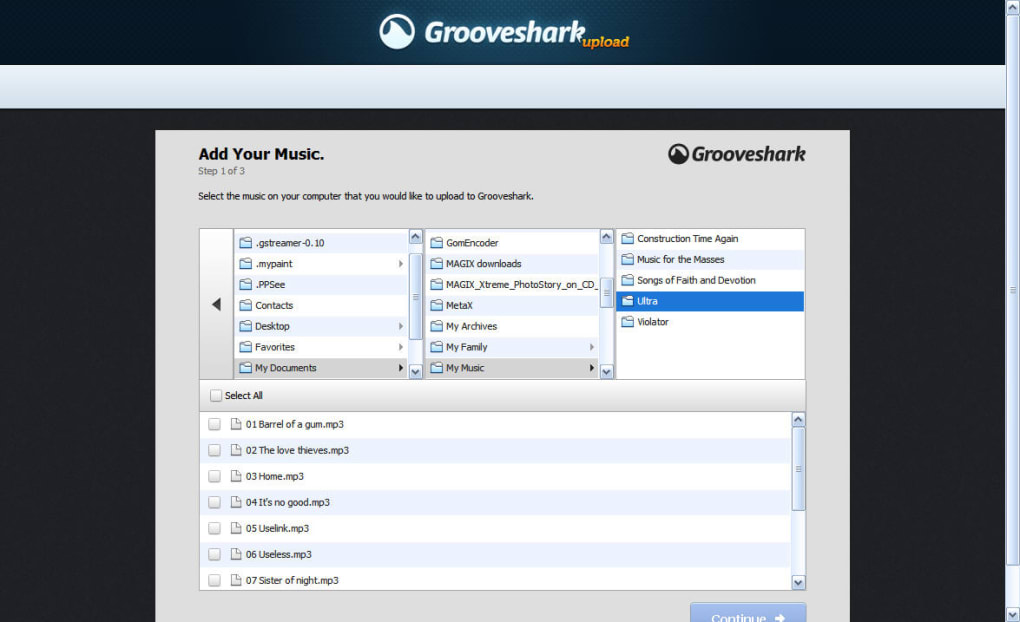
One of Grooveshark’s strongest points was its zero‑friction entry: no mandatory registration was required to start listening. A casual user could search for “Radiohead” or “Beyoncé,” see a list of available songs, and instantly press play. For those who wanted a more personalized experience, creating a free basic account unlocked features such as personal libraries, custom playlists, social sharing to Facebook and Twitter, and the ability to mark favorites. The service also allowed users to upload their own music collections from a hard drive, turning the web player into a hybrid streaming and personal cloud library.
Beyond the free tier, Grooveshark introduced a VIP subscription at $3 per month (or $30 per year). VIP members enjoyed Last.fm scrobbling, dedicated mobile apps for Android and iOS, a downloadable desktop client, and priority customer support. This tier catered to power users who wanted seamless integration across devices and a more polished experience. Even though Grooveshark has shut down, its legacy lives on in modern streaming platforms that have adopted similar features—free listening, playlist creation, social integration, and cross‑device sync.
When evaluating Grooveshark today, focus on the core concepts it championed: an easy‑to‑use web interface, no‑download streaming, and community‑driven playlists. These ideas form the benchmark for any new audio software you might consider, whether you’re searching for a free web player or a paid subscription with advanced social tools.
Key Features that Defined Grooveshark
- Instant web‑based streaming – no software installation required.
- Robust search engine that surfaces songs by artist, album, or keyword.
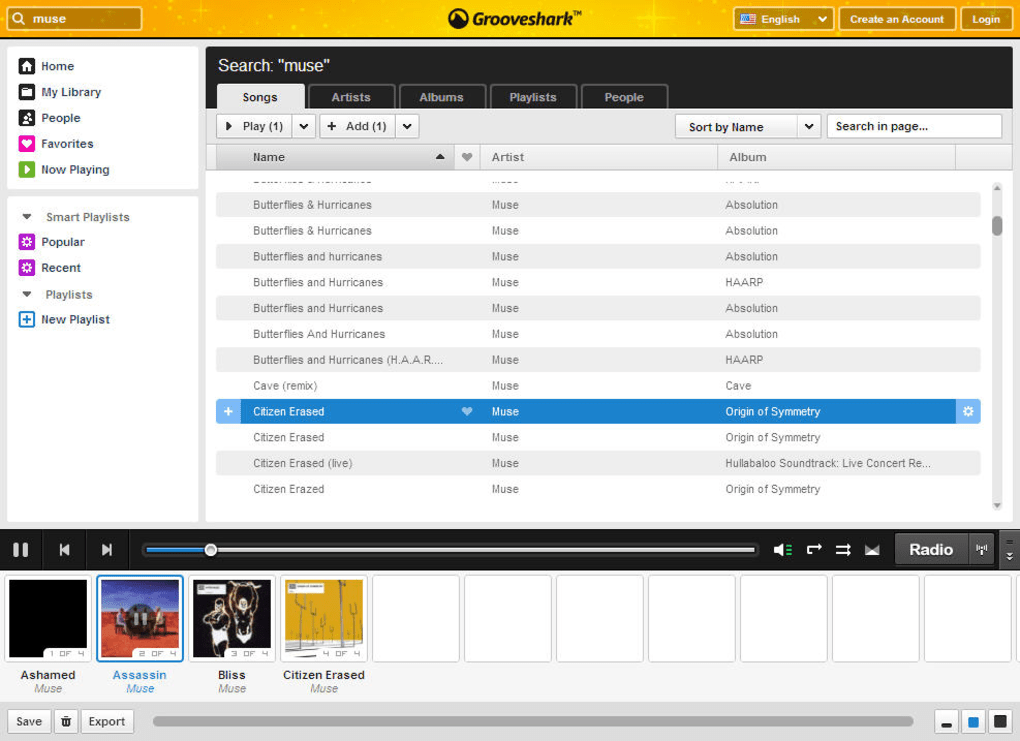
- Drag‑and‑drop queue management on a visual “photostrip” at the bottom of the page.
- Free basic account with library creation, playlist editing, and social sharing.
- Upload personal music files to the cloud for unified streaming.
- VIP subscription offering Last.fm scrobbling, mobile apps, and desktop client.
- Social integration with Facebook and Twitter for easy sharing of tracks and playlists.
- Responsive design that worked on desktops, laptops, tablets, and smartphones.
- Ad‑supported free tier, providing a cost‑free listening experience.
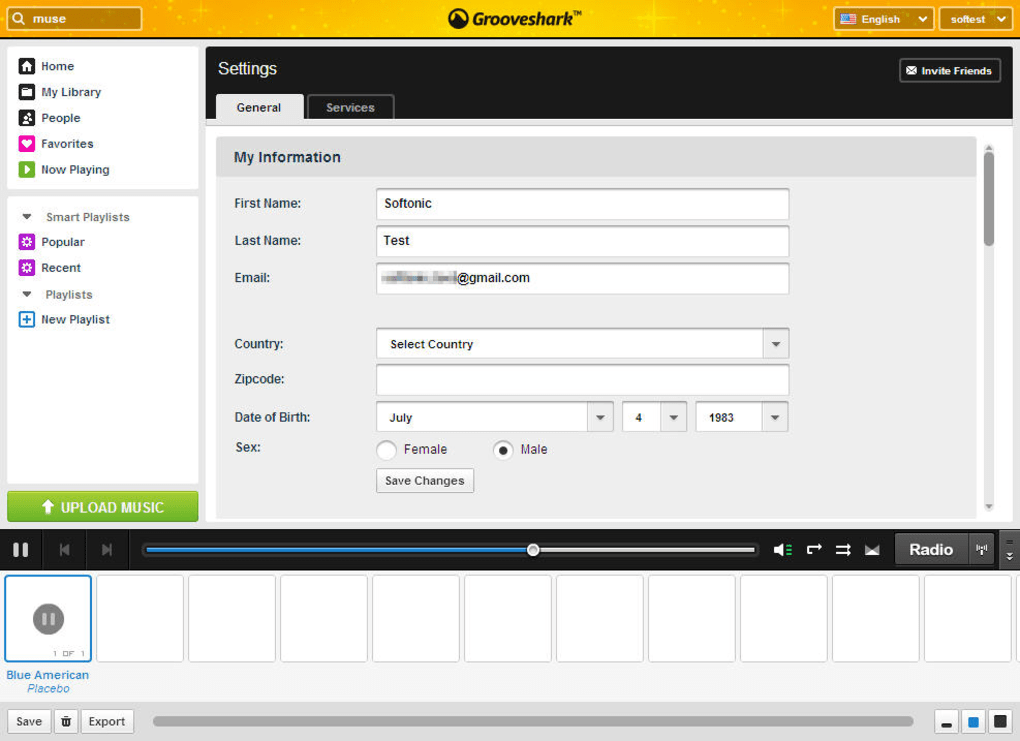
- Simple account creation using only an email address and birth date.
Each of these features contributed to a user‑centric experience that was both powerful and approachable. The ability to upload personal tracks set Grooveshark apart from pure streaming services, allowing listeners to combine their own collection with the public catalog. Meanwhile, the drag‑and‑drop queue gave a tactile feel to playlist management that many modern apps still emulate.
For users evaluating current alternatives, look for platforms that replicate these functionalities: seamless web streaming, easy playlist creation, cross‑device syncing, and optional social sharing. The presence of a free tier with basic features, plus a reasonably priced premium option, remains a winning formula for attracting a broad audience.
Installation & Usage Instructions – Getting Started with Grooveshark (and Its Modern Replacements)
Step‑by‑Step Setup
Because Grooveshark operated entirely in the browser, the installation process was essentially nonexistent. Here’s how a typical user would have started:
- Open any modern web browser (Chrome, Firefox, Safari, Edge) and navigate to the Grooveshark homepage.
- Begin searching for music by typing an artist’s name or a song title into the search bar.
- Click on a track to launch the built‑in player. The song starts playing immediately, and the track appears in the bottom “photostrip” queue.
- To create a playlist, drag additional songs onto the photostrip or click the “Add to Playlist” button next to each track.
- If you want to save your work, click “Sign Up” to create a free account using your email and birth date. Once registered, you can save playlists, favorite songs, and upload your own audio files.
- For VIP users, download the desktop client (available for Windows and macOS) or install the mobile app from the Google Play Store or Apple App Store.
All actions were performed within the browser, meaning the service was inherently cross‑platform. Users on Windows, macOS, Linux, Android, or iOS could access the same library without any additional configuration.
Compatibility – Where Grooveshark Ran Smoothly
Grooveshark’s web player relied on HTML5 and JavaScript, making it compatible with virtually any operating system that could run a modern browser. The optional desktop client was available for:
- Windows 7, 8, 10, and later
- macOS 10.10 (Yosemite) and newer
The mobile apps supported:
- Android 4.4 (KitKat) and later
- iOS 9.0 and later
This broad compatibility ensured that users could enjoy uninterrupted listening whether they were at home on a desktop, on the go with a smartphone, or using a tablet. Modern alternatives continue this tradition, offering responsive web players and native apps for all major platforms.
Pros and Cons – A Balanced Look at Grooveshark’s Strengths and Weaknesses
Overall Rating: 4.2/5
Pros
- Instant, no‑download streaming directly from a web browser.
- Generous free tier that includes basic playlist creation and social sharing.
- Ability to upload personal music files for unified cloud playback.
- Simple drag‑and‑drop queue that feels intuitive and fun.
- Cross‑platform support for Windows, macOS, Android, iOS, and Linux.
- Affordable VIP subscription with extra features like Last.fm scrobbling.
Cons
- Catalog limited by licensing agreements; not all popular artists were available.
- Service discontinued, leaving users without official support or updates.
- Free tier supported ads, which could be intrusive for some listeners.
- Desktop client was optional; users without it relied solely on browser performance.
- Upload feature required manual file management and could consume bandwidth.
Frequently Asked Questions About Grooveshark
Is Grooveshark still available for free listening?
No. Grooveshark was discontinued in 2015, so the original service is no longer operational. However, many modern streaming platforms offer similar free tiers.
Can I still upload my own music to a Grooveshark‑like service?
While Grooveshark’s upload feature is unavailable, services such as SoundCloud, Mixcloud, and newer cloud‑based players allow you to upload personal tracks for streaming.
What made Grooveshark’s VIP subscription attractive?
The VIP plan added Last.fm scrobbling, native mobile apps, a desktop client, and priority support—all for $3 per month, which was competitive compared to other premium services at the time.
Did Grooveshark require a user account for basic listening?
No, you could stream songs without an account. Registering unlocked features like playlists, favorites, and the ability to upload personal files.
Which modern alternatives best replicate Grooveshark’s experience?
Platforms such as Spotify (free tier), YouTube Music, and Deezer provide web‑based streaming, playlist creation, and cross‑device syncing. For personal uploads, SoundCloud and Bandcamp are strong choices.
Conclusion – Should You Look for Grooveshark or Move to a New Service?
Grooveshark set a high bar for web‑based music streaming with its effortless interface, free listening option, and the unique ability to upload personal tracks. While the original platform is no longer active, its core ideas live on in today’s leading services. If you’re seeking a free, secure way to discover music without installing heavy software, look for modern alternatives that offer a responsive web player, robust catalog, and optional premium upgrades.
Start by exploring free tiers on Spotify, YouTube Music, or Deezer, and if you need personal file uploads, consider SoundCloud or a cloud‑storage‑linked player like Plex. Remember to check whether the service supports Last.fm scrobbling and offers mobile apps for Android and iOS if you value cross‑device continuity.
Ready to enjoy music the way Grooveshark once did—effortlessly and without limits? Choose a contemporary streaming platform that matches your listening habits, sign up for a free account, and dive into a world of tracks, playlists, and social sharing. Your next favorite song is just a click away.



.png)



